Amazon · Through Slalom Consulting · Lead content design
A relocation portal that answers questions before they're asked
Working through Slalom Consulting, I led content design for the relocation portal Amazon's new hires and relocating employees use to plan their move. I set the content strategy, wrote the copy, and designed the chatbot that backs it up, with one aim: fewer people needing to contact support.
- My role
- Lead Content Designer, the only content designer on the project
- I owned
- User flow research, voice and tone, dashboard, banking and support content, form helper text and errors, and the chatbot's conversation design
- Client
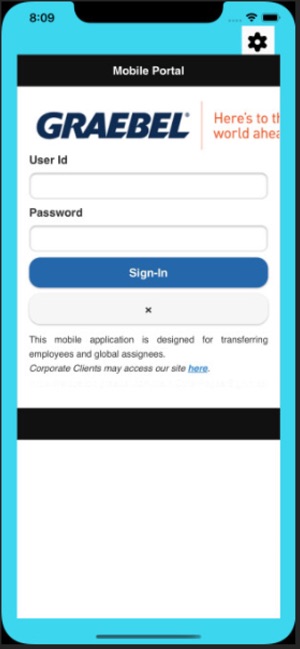
- Amazon, through Slalom Consulting, with relocation partner Graebel
- Worked with
- 2 UX designers and 3 developers
- Timeline
- Nov 2021 to May 2022 · Figma, Miro, Confluence, Jira, Contentful
Relocating employees were turning to support for answers the portal should have given them, and many assumed talking to a person would be easier.
Mapped what people feel and worry about at each step, set a voice built on confidence, then wrote the dashboard, banking and support content and a guided chatbot with a clear path to a human.
A content system for the redesigned portal: every task step, form and support touchpoint written to answer the question before it became a ticket.
The challenge
Relocating for a new job means flights, family travel, banking, visas, work authorization and expense claims, all on a deadline. Amazon's relocation portal was meant to be one place for all of it, but the support team was fielding a high volume of queries the portal itself should have answered.
The redesign had three goals: reduce support tickets, reduce the human hand-holding needed to finish each step, and make the portal truly one place for everything.
What I learned about users
Before writing anything, I mapped each step of the journey by what people are feeling, worrying about and confident in.
What they worry about
"Dealing with a person would be easier." "Can I speak to a human if the portal doesn't work for me?" "My situation is complicated. Will this work for me?"
How they feel
Stressed about the move, anxious about next steps, and overwhelmed by everything they need to sort out.
What reassures them
They trust Amazon, and they know thousands of employees have gone through this before them.
My content strategy
- Write for a stressed reader. Clear, concise directions in a friendly voice, so the process feels trustworthy and streamlined.
- Answer the question at the step where it comes up. Anticipate what people will ask on each screen and put the answer there.
- Make the stakes and progress visible. Show the cash allowance and how many tasks stand between the user and receiving it.
- Always show a way to reach a person. Self-service works best when people know help is there if they need it.
From strategy to copy
A dashboard that ties every task to the payout
The cash allowance is what relocating employees care about most, so the dashboard puts it front and centre and links each task to it. Setting a payment timeline heads off "when do I get paid?" tickets.
"Welcome, [Name]!"
"Here we go! You have [number] tasks to complete to qualify for your cash allowance."
"All set! You've completed all required tasks to receive your cash allowance. Your cash allowance will be issued within 5 business days."
Banking details that prevent the most common errors
Research showed people didn't know whose name to use, which address to enter, or whether they could use more than one account. The copy answers each of those in place.
"Can I use a different account for expenses and for the lump sum?"
"Which address do they want?"
"Add a bank account to which you would like to deposit your cash allowance. If you'd like to add additional bank accounts for expense reimbursements, we can do that here."
"Add the address your bank or financial institution has for you associated with this account." It might be different than your home address.
Two support paths, each with a promise
General and urgent questions get separate paths, and each one says exactly when someone will respond.
"How can we help you? The Help Centre and your Policy Details are great places to go for answers. If you still can't find what you're looking for, please let us know."
"Thanks for reaching out! We will be in touch within 1 business day."
"Need help right away? If you have an urgent issue, we're here to help!"
Reasons to choose from, such as "I am currently traveling and need immediate support"
A chatbot that guides first, with a human always in reach
I designed the chatbot to walk anxious users through a guided path first, then let them type a keyword once they're comfortable. It covers eight topics, from banking and taxes to travel, expenses and family, with keywords mapped to help articles. When it can't help, it hands off to a person.
"Hello! I'm Graebot, an automated bot that can assist you with most things you may need in this section."
"For example, just type 'travel' if you need help with travel booking."
"Oops! Looks like I'm unable to help you at this moment. But don't worry, I'll get a [Customer Representative] to personally assist you."
Working files
The full content specs and research, as handed to the design and development team.